Feel your Mac’s heartbeat
Live memory, speed and heat, explained in plain words. No jargon needed.
Free · Made for Mac · 100% private
MyMacVitals tracks what you do on your Mac all day, shows what was productive and what pulled you away, and helps you make tomorrow better. It keeps your Mac running well too. Everything stays on your Mac.
Version 1.0.0 · macOS 15 Sequoia or later · Apple Silicon & Intel · 6.7 MB
The main feature
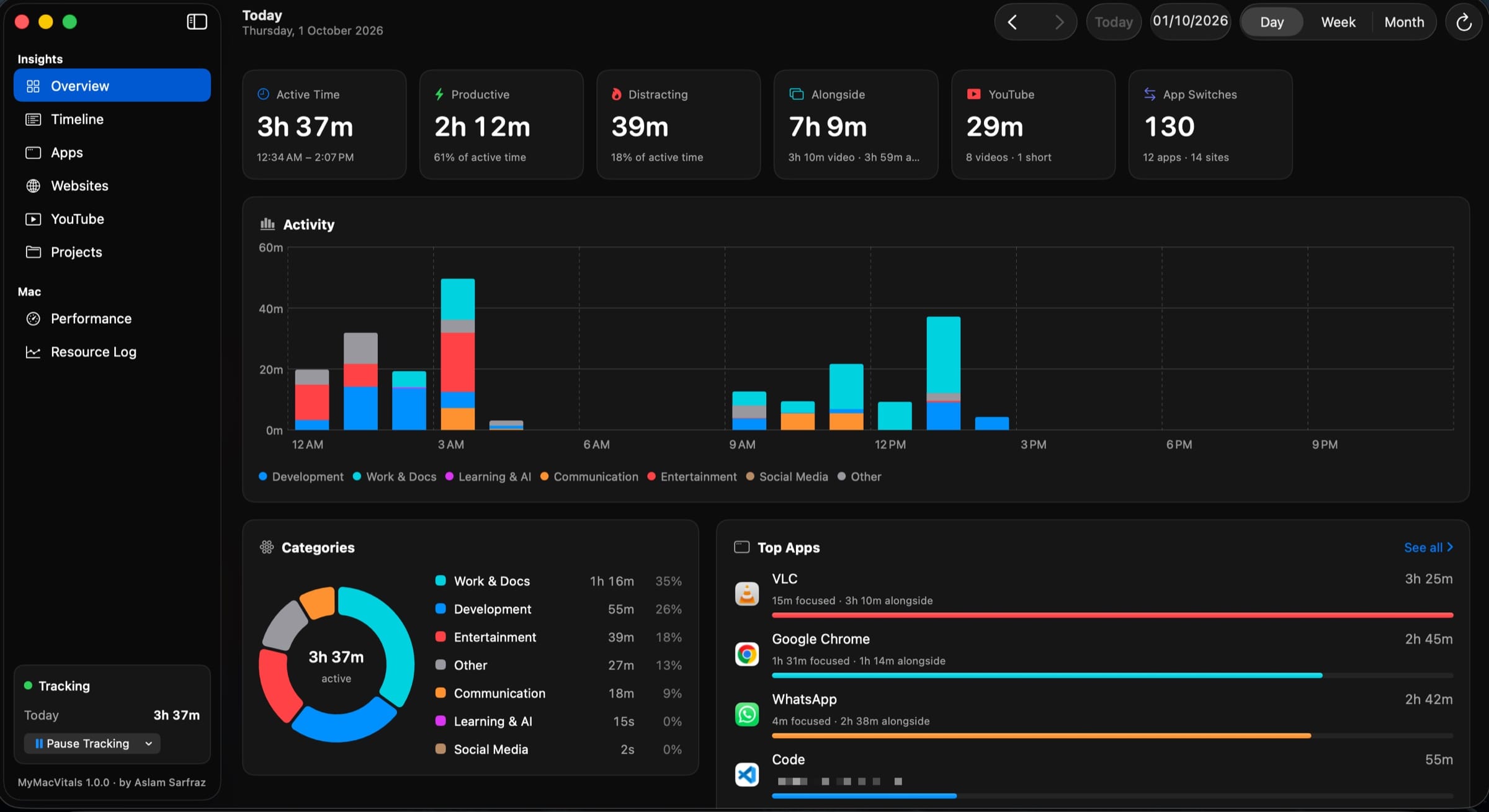
You worked all day, but where did the hours go? MyMacVitals quietly watches, and at night it tells you the story: what was real work, what was a detour. Tomorrow, you steer.
Every app and website you use, timed by itself. No timers to press and nothing to remember.
Productive, neutral and distracting time, hour by hour, in colour. One look and you know.
Spot your best hours and your biggest time-sinks. Compare days, weeks and months to see if you’re getting better.
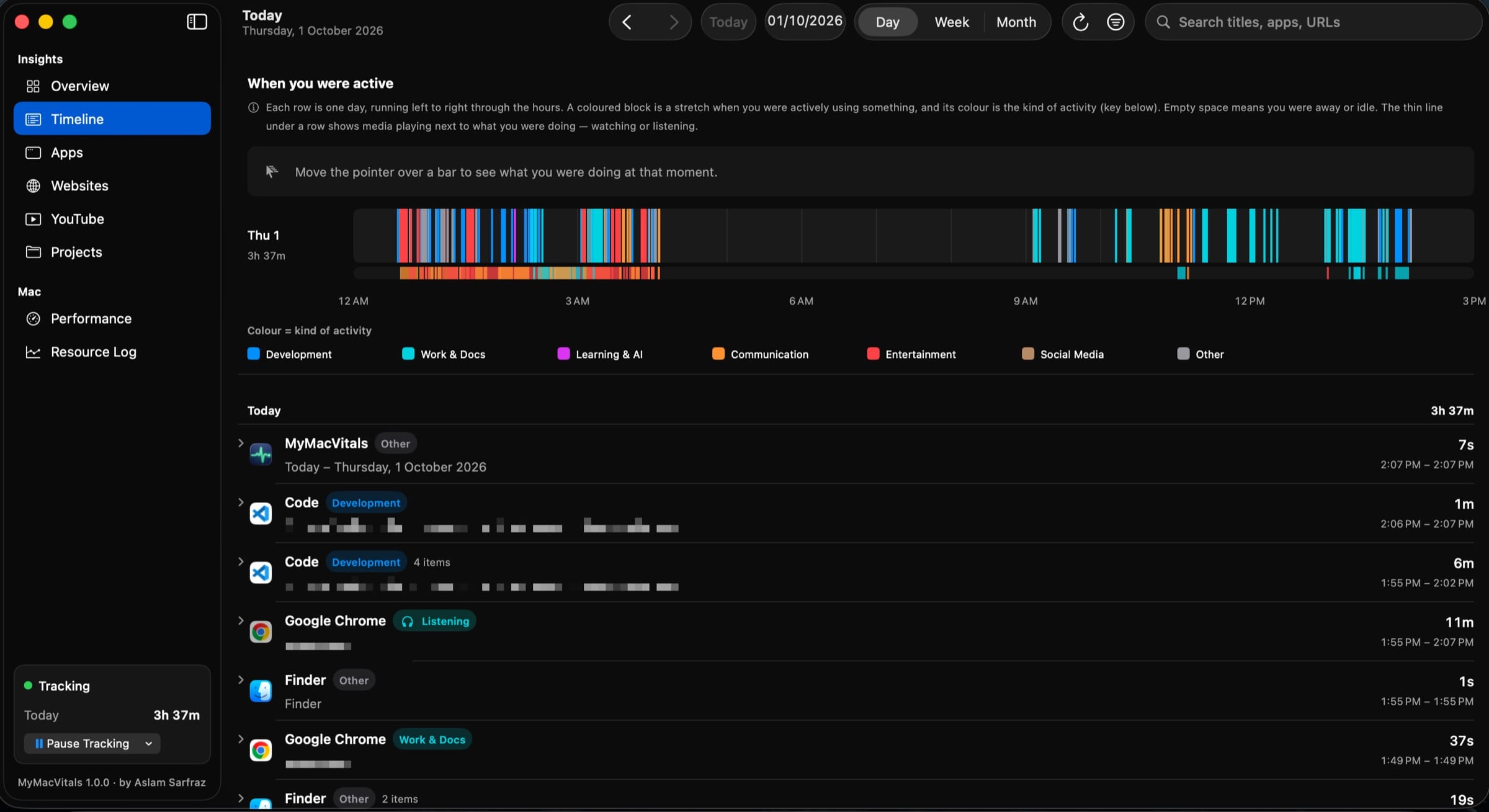
Every minute, in colour
Blue is coding. Teal is work. Red is fun. Your whole day fits on one line.
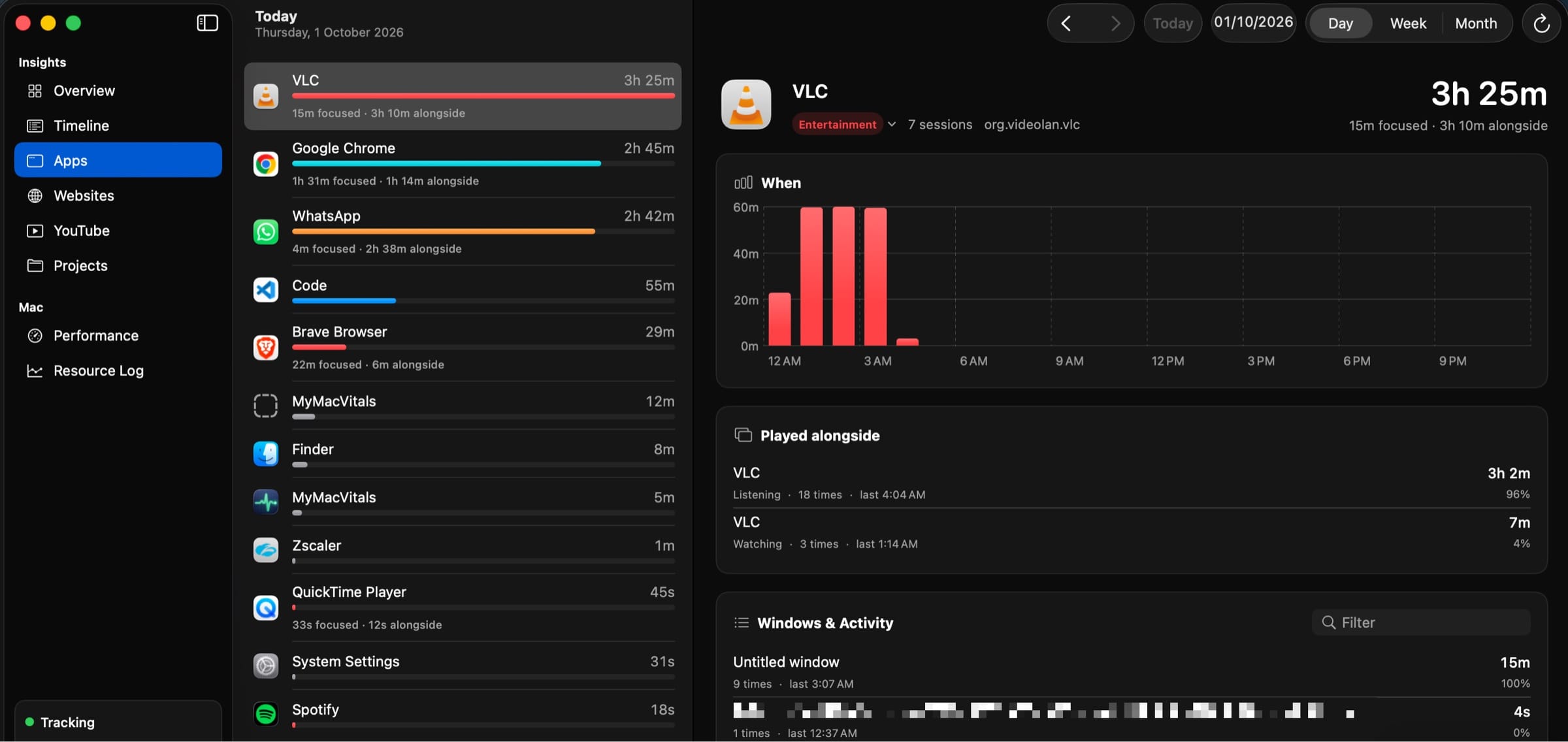
Tap an app and see its whole day: when you used it, which windows, how long.
And there’s more
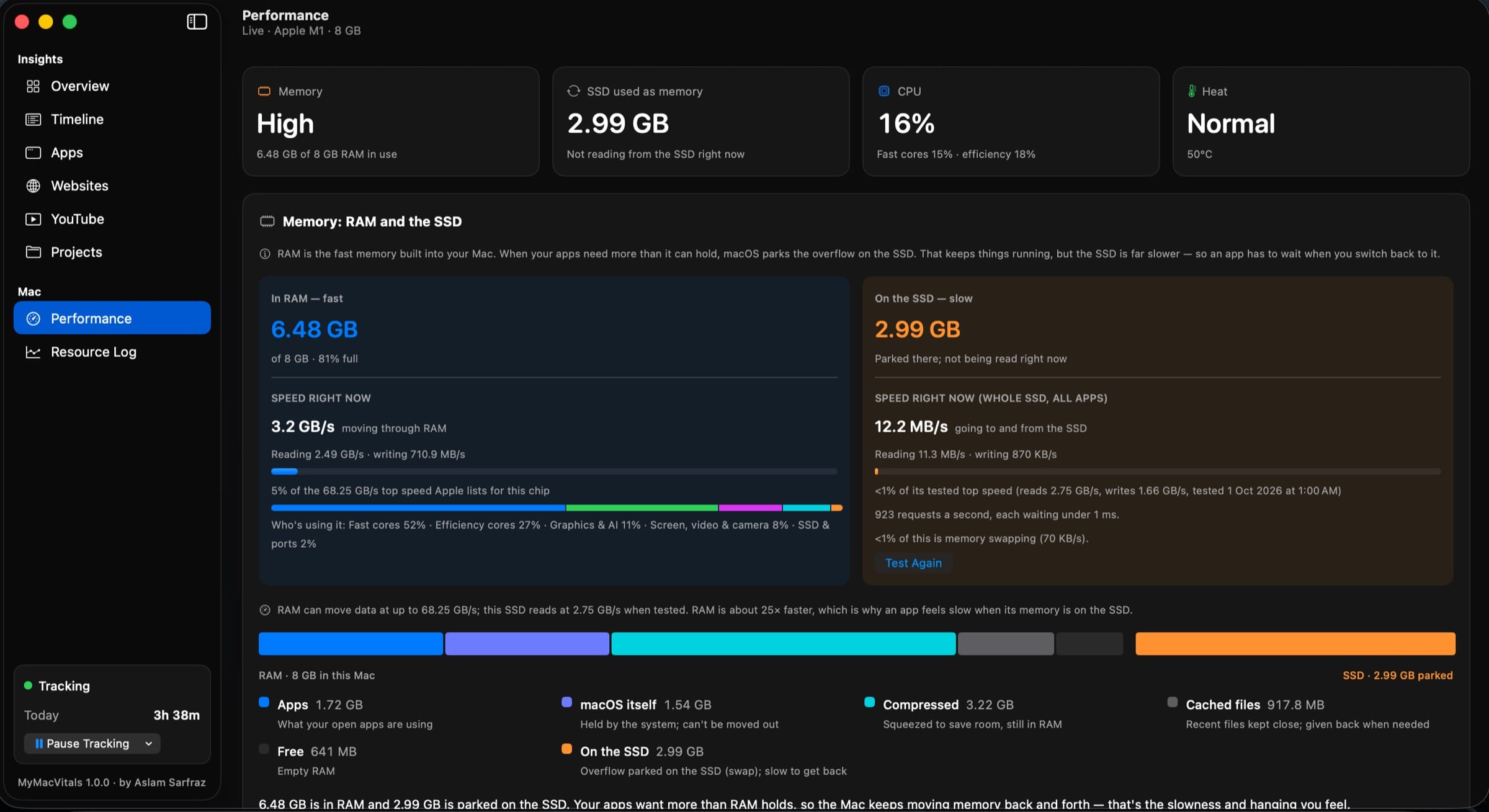
A Mac that hangs wastes the very day you’re trying to make better. So MyMacVitals watches its health as well.
Live memory, speed and heat, explained in plain words. No jargon needed.
Optional. It pauses what you aren’t using, so what you are using can fly.
A second-by-second log of how your Mac did, ready to export whenever you like.
Feel your Mac’s heartbeat
RAM is your desk. The SSD is a storage room down the hall. When the desk is full, you keep running to the storage room, and everything slows down.
Give it room to breathe
Apps you aren’t using take a nap. The second you open one, it wakes up.
You’re in your editor. Mail, Notes and Slack sit idle in the background.
After a few minutes unused, they’re paused. They use almost nothing.
The moment you open one, it wakes. Nothing was closed. Nothing was lost.
Remember everything
Like the black box on an airplane. It remembers every second, so you can see what happened.
Privacy and security
Not “we promise.” There is simply nowhere for your data to go.
One folder in your Library. Nothing is uploaded. Ever.
Nothing to sign up for, nothing to log in to.
Nobody can see that you installed it, what you do, or what’s on your screen.
Incognito is saved only as “Private Browsing”.
It reads window and tab titles. Never your pages, passwords or messages.
Settings → Data → Uninstall removes the app, its data and its permissions.
The only network request the app can make is loading YouTube thumbnails, and that is off by default.
Made for Mac
For now, it’s built and tested on an Apple Silicon MacBook (M1).
Get it
Get the MyMacVitals disk image.
Drop MyMacVitals into your Applications folder.
It lives in your menu bar. Allow Accessibility if you want window titles.
Version 1.0.0 · October 2026 · macOS 15 Sequoia or later
SHA-256: ffc210a4b7a9f1bc66894475e647e1fbc5e4de265f5aec03686c67943be7981b
Questions
Yes. MyMacVitals is free to download and use today.
It’s light. Reading your Mac every second uses about 1% of one core, and you can slow that down or switch the log off in Settings.
Yes. It only pauses an app and resumes it. Nothing is quit and nothing is lost. It never touches the app you’re using, calls, music, downloads or Terminal, and the helper is off until you turn it on.
No. There is no account, no server and no analytics. Everything stays in one folder on your Mac.
Only to read window titles, such as which document is open. If you skip it, apps, time, performance and the helper still work.
Any Mac running macOS 15 Sequoia or later: Apple Silicon (M1 and newer) and Intel. It was built and tested on an M1 MacBook, so that’s where it’s best proven.
Open Settings → Data → Uninstall MyMacVitals. It deletes the app, its data and the permissions you gave it.

A full stack, AI and DevOps engineer who builds useful, private software. MyMacVitals is free to use today, and your feedback shapes what comes next.
Sound familiar?
Eight hours at your Mac, and you can’t say where they went.
You click. You wait. The little wheel just keeps spinning.
Something is quietly eating your memory. You just can’t see it.
MyMacVitals answers all three.